 TinyBrownie
Get the app
The shared grocery list for your whole household
Type what you need the way you'd say it. Ask Brownie to turn dinner into a list. Then send a link to whoever's doing the shop: they tick things off in any browser, no app needed.
Download on the App StoreFor iPhone. Free to use.

Taco night
Shared with you by Sam
Fruit & veg
Bakery
Meat & fish
Dairy & chilled
of 7 in the basket
 Everything's in the basket.
Go on, tick something. This is the page your shopper gets.
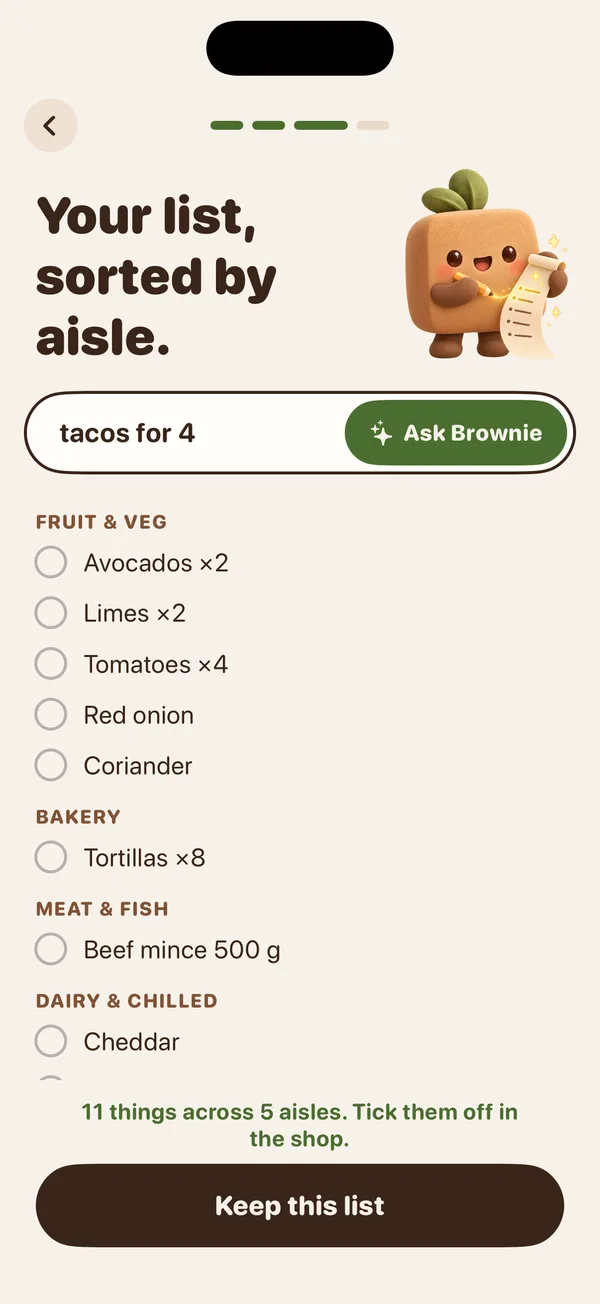
Dinner idea? Brownie writes the list.
Tell Brownie "tacos for 4", "Sunday roast" or "BBQ for 10" and get every ingredient, sorted by aisle. You choose what goes on your list.
Not on iPhone? The free dinner shopping list builder does it for six everyday dinners and a Christmas dinner. For the rest of the festive food, there's a Christmas food shopping list.

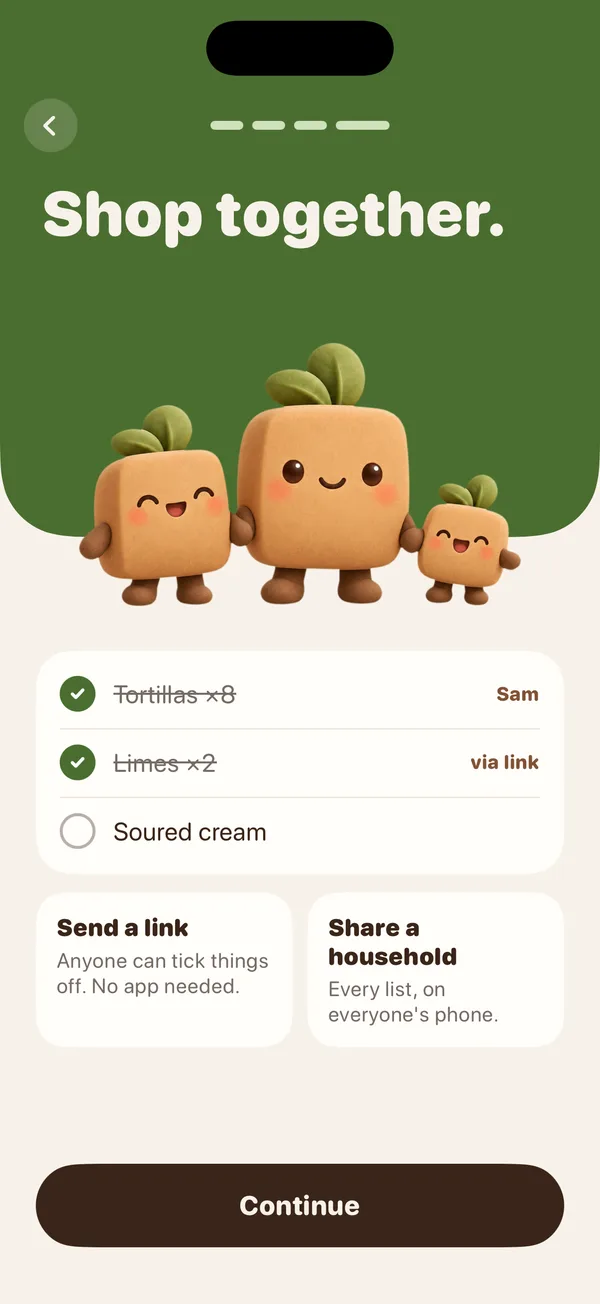
Send a link. They shop from any browser.
No app and no account, on iPhone or Android. Every tick shows up on your phone while they shop. Stop sharing and the link stops working.
Live together? Make a household with Sign in with Apple, and your lists, Stock and shopping trips stay in sync on everyone's phone.

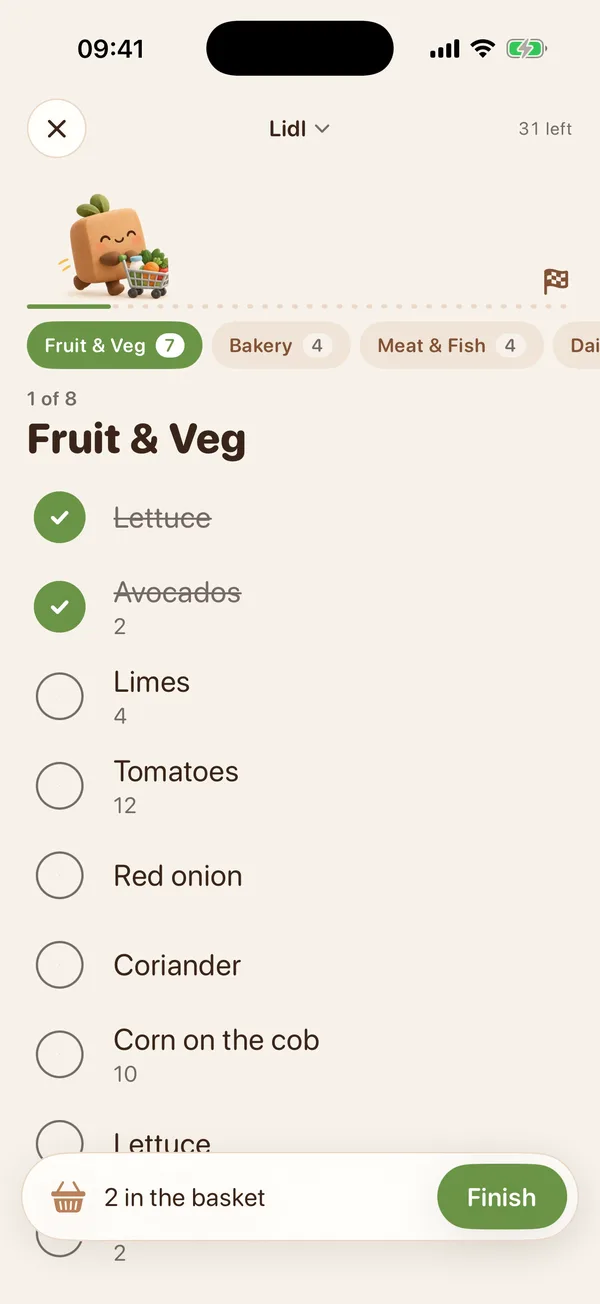
Type it how you say it. Shop it aisle by aisle.
"2 bottles of semi skimmed and some eggs" becomes two tidy items in the right aisles. No forms, no fiddly fields.
Shop mode puts the list in aisle order, big enough to tick with one thumb. History remembers every trip.
Not on iPhone? The free shopping list sorter sorts any list by aisle in your browser.
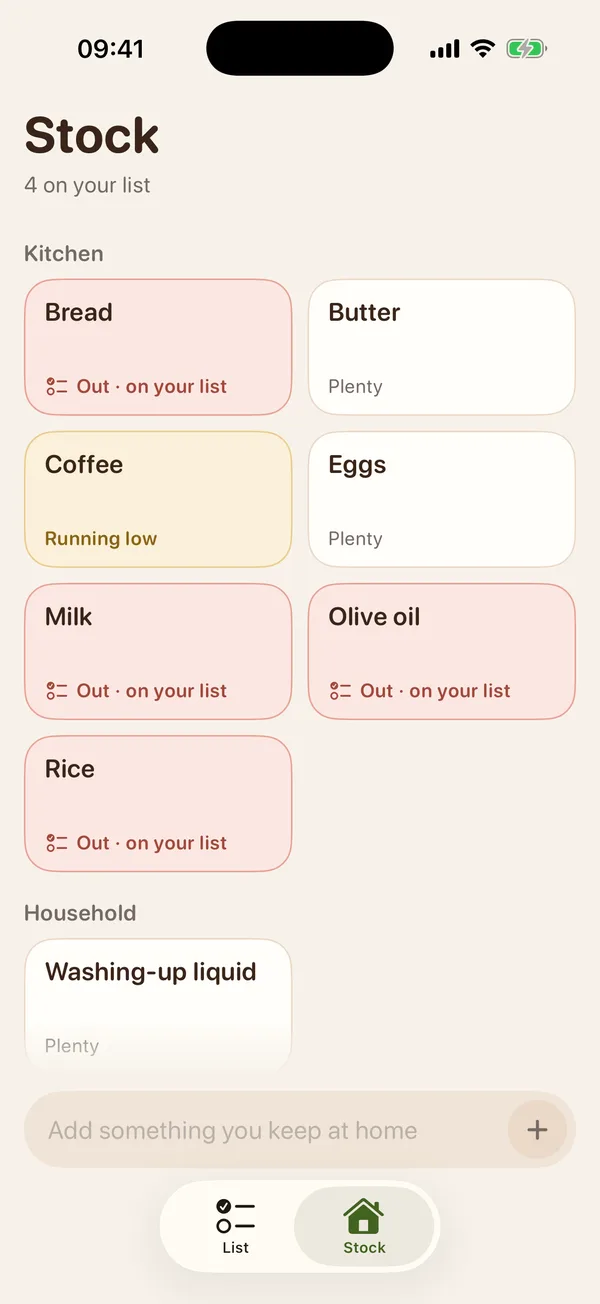
Know what's in the cupboard.
Stock keeps track of your usuals. Mark the milk as running low or out and it lands on your list. Widgets let you do it straight from your Home Screen.
Not on iPhone? The free pantry checklist does the same in your browser.
Free to use. Plus when you want more.
Lists, Shop mode, Stock, History and widgets are free, and so are your first 3 shops by link. TinyBrownie Plus adds unlimited shared shops, households and Brownie.
Questions
Does the person doing the shop need the app?
No. They open your link in any browser, on iPhone or Android, and tick things off as they go. You see each tick on your phone.
Is TinyBrownie on Android?
The app is for iPhone. Anyone you send a list to can shop from it on an Android phone, in the browser. Here's how to share a shopping list between iPhone and Android.
How does Brownie make a list?
Type a meal or an occasion, like "tacos for 4" or "BBQ for 10". Brownie suggests what you'll need and you pick what goes on. Brownie uses AI, so give the list a glance before you shop.
Can my partner and I share one grocery list?
Yes. Make a household, invite them with a link, and your lists, Stock and trips stay in sync on both phones. Each of you signs in with Apple.
Does it sort my shopping list by aisle?
Yes. Everything you add goes into an aisle, like fruit and veg or dairy, and Shop mode walks you through them one at a time.
What happens to my data?
Your lists live on your phone. They only leave it when you share a list, join a household or ask Brownie. The privacy policy has the details.