 TinyBrownie
Get the app
How to share a shopping list between iPhone and Android
Apple's Reminders shares lists with other Apple users, and Android's own apps share with Google accounts. Between an iPhone and an Android phone, you have three options: send a copy, both install the same app, or send a link that opens in their browser.
Three ways to do it
| Way | What they need | Live ticks? | Good for |
|---|---|---|---|
| Send the list as a message, in WhatsApp or a text | Nothing | No: it's a copy, and it goes out of date as soon as you add something | A one-off, short list |
| Both install the same app, like Google Keep, Bring! or OurGroceries | The app, and usually an account | Yes, both ways | Two people who'll both add to the list every week |
| Send a live link that opens in their browser | Nothing: the link opens in Chrome or any browser | Yes, as they tick | Whoever's doing this shop, when you keep the list |
The rest of this guide shows the third way, with TinyBrownie on your iPhone. The person shopping doesn't install anything or make an account.
1. Make the list on your iPhone
Type what you need into TinyBrownie the way you'd say it, like "2 L milk, bread, 6 eggs". It sorts the list into supermarket sections as you go, so the shopper walks round once.
2. Send the link
Tap the share button at the top of the list, then Send link, and pick WhatsApp, Messages or wherever you talk to them. The link works on any phone.
3. They open it and tick things off
On their Android phone, they tap the link and the list opens in the browser, grouped by section. They tap each thing as it goes in the basket, a section folds away once it's done, and the bar at the bottom shows how far through they are. If the signal drops in the shop, their ticks wait and send once they're back online.
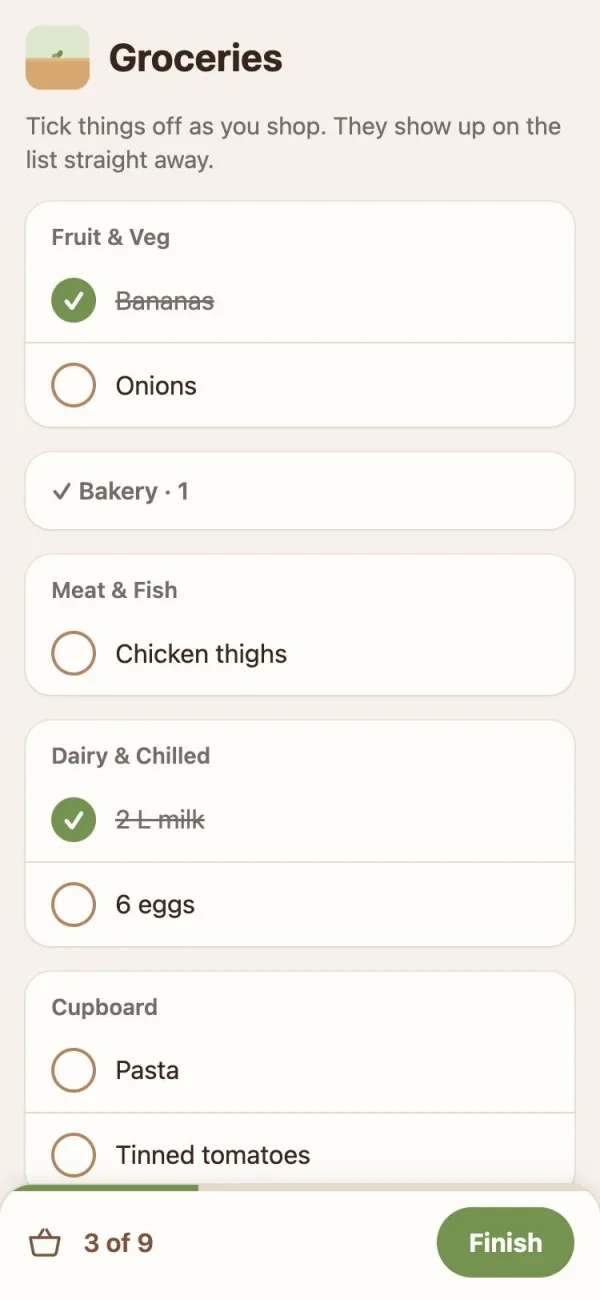
4. Watch it happen, and add what you forgot
Every tick shows up on your iPhone as they shop. The top of your list says "Shopping via link" and how many they've got, so you can see what's still to get.
Forgot something? Add it in the app as normal and it appears on their list straight away. If it belongs in a section they've already been round, it goes at the top under "Added during your shop", so they don't walk past it.
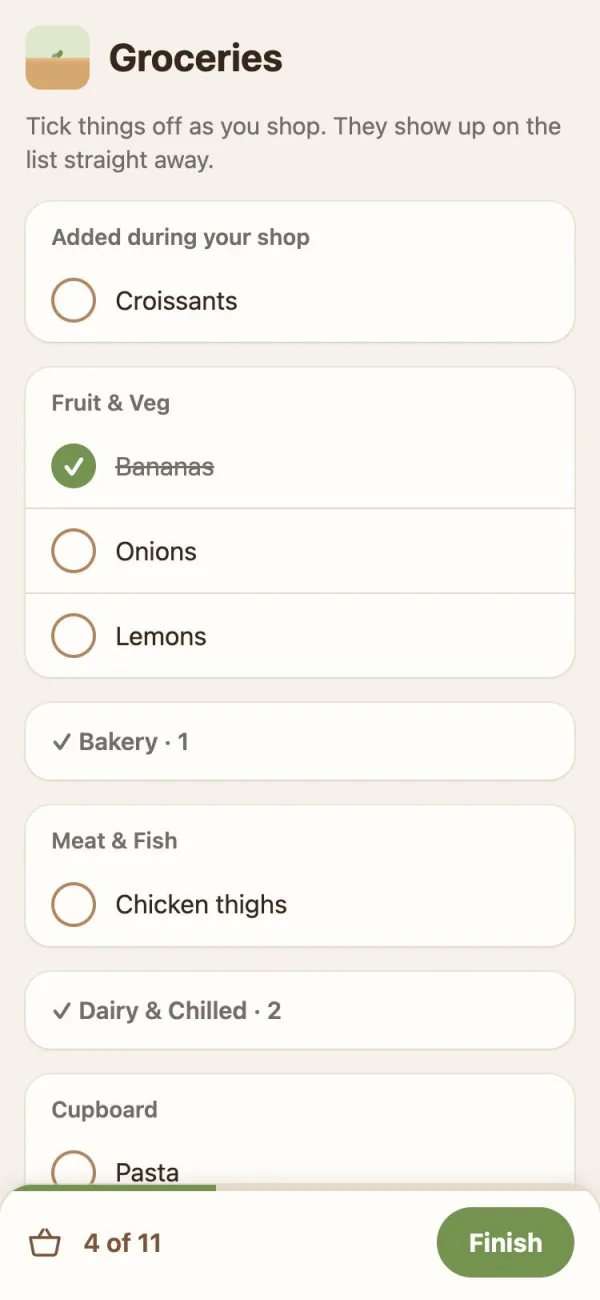
5. They finish, and you check
When they're done, they tap Finish. Anything they didn't get stays on your list.
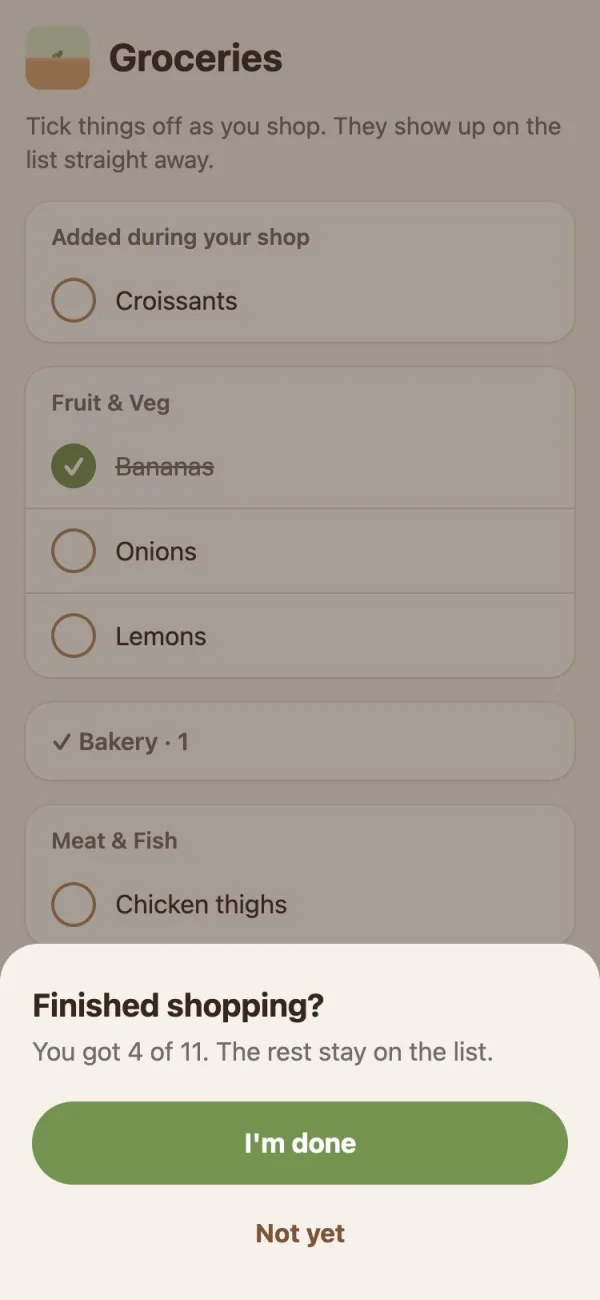
On your iPhone, TinyBrownie then asks "Did they get everything?". Tap Got everything to tick off the rest, or I'll tick to go through it yourself as you unpack.
The link stops working by itself 2 days after anyone last used it, and after a week at most, but never in the middle of a shop. Tap Stop sharing to end it straight away.
What the shopper can and can't do
- Can: see the whole list, tick and untick things, and tap Finish.
- Can't: add things or change the list. If they spot something you need, they tell you, and you add it.
- Doesn't need: an app, an account or an iPhone. Any phone with a browser works.
Questions
Does the person on Android need to download anything?
No. The link opens in their browser, like any web page.
Is it free?
For the shopper, always. TinyBrownie is free to use, and your first 3 shops by link are free. After that, sending links is part of TinyBrownie Plus: £14.99 a year after a 7-day free trial, or £39.99 once.
Who can see the list?
Anyone with the link can see it and tick it off, so send it only to who's shopping. The link stops working 2 days after it was last used, a week at most, or as soon as you stop sharing.
What if we both have iPhones?
The link works the same way. If you shop together every week, a TinyBrownie household keeps one list in sync on both iPhones, and either of you can add to it.
Want the list in shop order first? How to organise a shopping list by aisle shows how, or try the free shopping list sorter.